Dragonhold Fireteam Voice Chat
Hotfix 1.4 turns on voice automatically in fireteams — use it for extract calls, ability rotations, and fewer wipe arguments.
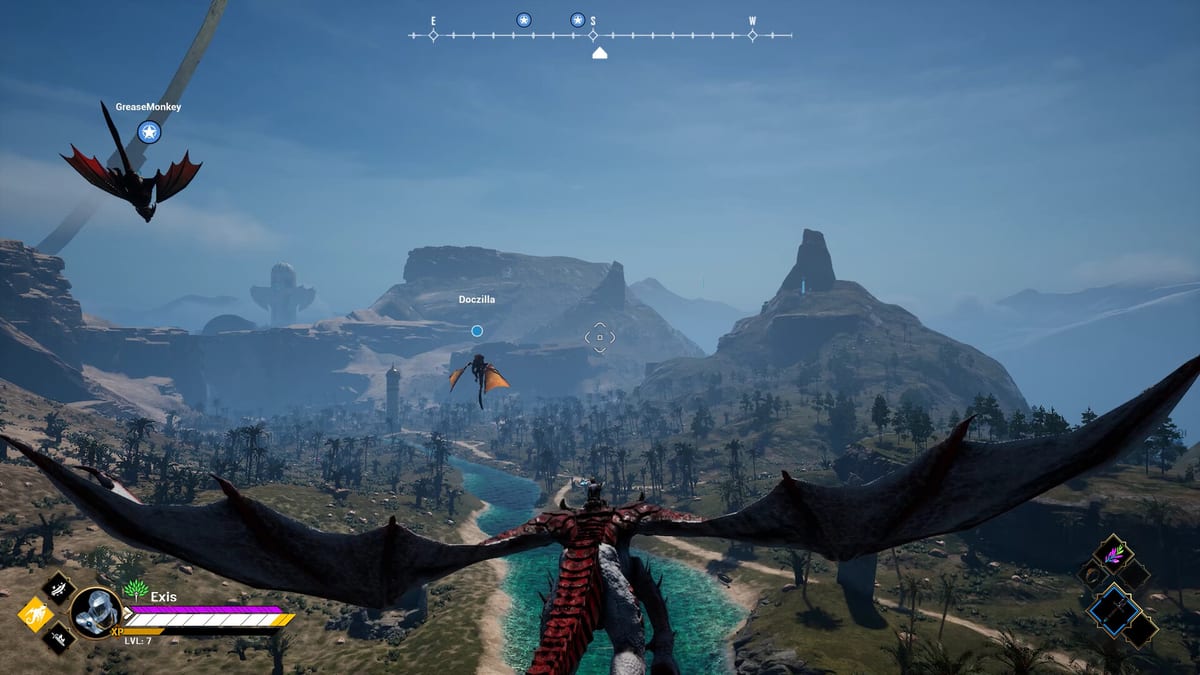
Voice chat in fireteams became automatic with Hotfix 1.4 (March 17, 2026). Exis Games wired voice so that when you are in a fireteam, chat enables without a scavenger hunt through menus. In a dragon-riding extraction ARPG where AI Director spikes and extract windows close fast, clear audio is not a luxury — it is wipe prevention.
This guide covers privacy defaults, callout discipline, and how voice interacts with dedicated servers and late-join mission credit. Pair it with Co-op Guide, Dedicated Server, and Hotfix 1.4.
What “automatic” means
When you form or join a fireteam, voice is expected to be on by default. That is a deliberate friction cut versus forcing every group onto Discord before the first mission. It also means you should:
- Check mute / push-to-talk bindings before public or semi-public sessions.
- Assume teammates can hear ambient noise unless you mute.
- Re-verify after major UX patches (including 1.0) in case the privacy toggle moved.
Exact key names vary; treat Steam and in-game settings as source of truth for your build.
Callouts that actually save extracts
Useful voice lines are short and actionable:
- Fate read — “Hazard card, extract early” after checking Hand of Fate.
- Director pressure — “Horde inbound, remount” when spawns escalate.
- Ability windows — “Burst on my mark” for Dragon Abilities.
- Loot dibs — “Banking forge mats” before someone scraps them at the Unified Forge.
- Extract vector — “Pulling extract in 30” aligned with How to Extract.
Avoid novel-length stories mid-fight. Save lore for the hub.
Privacy and etiquette
- Mute when AFK in hub menus so forge clicking does not deafen the squad.
- No blame storms on death — Patch #1 death rules already soften equipped gear loss; focus on the next extract. Death and Loot Rules.
- Ask before streaming if voice is live and friends did not consent.
- Use text for deaf / no-mic teammates — voice is default, not the only channel.
Dedicated servers and networking
Voice rides alongside the session networking stack (EOS-related fixes appeared across hotfixes). If voice fails but gameplay works:
- Confirm you are actually in the same fireteam, not just the same server browser entry.
- Check OS device defaults and overlay conflicts.
- Validate host ports and server health via Server Port Checklist and Dedicated Server.
- Fall back to an external app for one night rather than aborting a good Fate roll — then report the bug with repro steps.
Late joiners and mission credit
Patch #2 fixed late-join mission credit. Voice helps integrate joiners: call current objective, Fate modifiers, and who holds the extract plan. Do not assume the new rider saw the departure cards.
Solo players
If you only play solo, you can ignore fireteam voice — but know it exists when friends finally convince you to host. Solo habits stay in How to Play Solo.
Practice drill for new groups
- Form fireteam in hub; confirm voice levels with a quick count-off.
- Read Fate aloud before launch.
- Run one short mission with mandatory extract callouts.
- Debrief at the forge — what call was missing when pressure spiked?
Fireteam voice chat is the cheapest DPS upgrade in Dragonhold: shared information under Director pressure. Keep mics intentional, callouts short, and extracts unanimous.
Related guides after Hotfix 1.4
Voice pairs with systems shipped in the same patch — Dragon Abilities for aerial callouts, Unified Forge for hub craft planning, and Lair and Garrison funding debates before launch. Hosts should cross-read How to Host a Server when onboarding friends who have never used in-game voice before. Return to the Multiplayer hub when post-1.0 hotfixes adjust voice defaults or EOS stability.
Frequently Asked Questions
Quick answers tied to this page.
Does Dragonhold enable voice chat automatically?
In fireteams, yes — Hotfix 1.4 turns voice on automatically. Check mute bindings for privacy.
Do I need Discord to play co-op?
No. In-game fireteam voice covers most needs. External apps remain useful if voice bugs or you prefer push-to-talk overlays.
Voice is silent but we can play — what now?
Verify fireteam membership, OS audio devices, then server/network health via Dedicated Server.